Pages

Showing posts with label Widgets. Show all posts

Saturday, December 28, 2013

Extended Controls 6.0.1 APK

Extended Controls

Description
Extended controls is THE MUST HAVE APP for every Android user.
The application provides highly customizable widget with more than 30 controls.
Extended Controls provides user-friendly graphic interface and a easy configuration manager.
With its features user can customize his widgets and he can beautify your fantastic Android smartphone.
Extended Controls improves batterylife using an innovative feature called "Battery saver".
It's only app on Play Store that do this!

Features:
  • Custom backgrounds (from your gallery or download a set of backgrounds from the web)
  • Widgets transparency
  • A lot of different icons
  • Edit existing widgets
  • Direct Home shortcuts
  • Customizable colors & labels
  • On/Off dividers
  • All tablets supported
  • Different widgets size (over 10 toggle for any single widget)
  • Different indicator type (standard or circular)
  • System Info Widget (RAM, CPU, Network, ext-memory, etc.)
  • Notification Widget (like Samsung Galaxy S3 and S4)
Advanced features:
  • Widgets sliders with double arrow, to beautify your home screen
  • Widgets controller on App Drawer (Extended Controls -> Widget option)
  • Active widgets in notification bar
  • Stack Widgets list
  • Widgets in notification bar
  • Possibility to remove widgets size from android menu
  • Disable static indicator
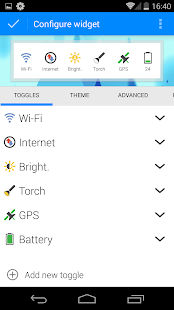
  • Widget preview of your widget on configuration activity
  • Share your widgets with main social networks (Facebook, Twitter, Google+, etc.)
Profiles mode:
  • Save your widgets and load it whenever you want!!!!
As we know Android provides a widget that allows you to enable or disable these settings: WiFi,Bluetooth,GPS,Sync,Brightness.

With Extended Controls, Android Power Widget can be improved allowing users to add main settings:
  • 2G-3G
  • 4G (WiMAX only for EVO)
  • APN (Rename APN, Direct Mode or Settings Shortcut)
  • Wifi (with indicator label)
  • Bluetooth
  • Brightness (High customization, with custom seekbar, label percentage, native mode)
  • GPS
  • Auto Sync
  • Auto Rotate
  • Fly Mode
  • SD Scanner
  • NFC
  • Silent Mode
  • Vibration Mode
  • Timeout
  • Stay Awake toggle
  • Flashlight (Torch) available on (Sony Ericsson X10mini, Sony Ericsson X10, Motorola DroidX, Motorola Droid, Verizon, Mobile, Nexus S, Galaxy Ace, Fascinate, LG Optimus, Atrix, Arc, Samsung Galaxy S2, Motorola Photon, HTC One, Sony Xperia Z, Sony Xperia Z1 Galaxy Nexus, Nexus 4, Nexus 5, Motorola X, Nexus 7, Nexus 10,Galaxy Tab 3, Motorola G, Samsung Galaxy S4, Samsung Galaxy Note III and others)
  • Mount USB
  • AlwaysOn feature
  • AutoLock
  • Reboot (only for root users!! bootloader, normal or fastboot, confirm dialog)
  • Battery
  • Locale
  • Hotspot Wifi
  • USB Tether
  • LockPattern
  • AudioManager
  • Lock Screen (turn your screen off)
  • Direct Shortcut app (All activities or applications)
  • Haptic feedback
  • Volume manager (All volumes controls)
  • Shutdown (Only for root users)
  • Contact direct call
  • System info (RAM, CPU, memory usage, SDcard free memory)
WARNING
  • Read Contact & Call permissions is used to add a "Direct Contact Call" toggle within widget.
  • Without these permissions is impossible to call a contact with one-click.
  • The Read log permission is used into Issue Manager to allow user to send bugs of ONLY Extended Controls app.
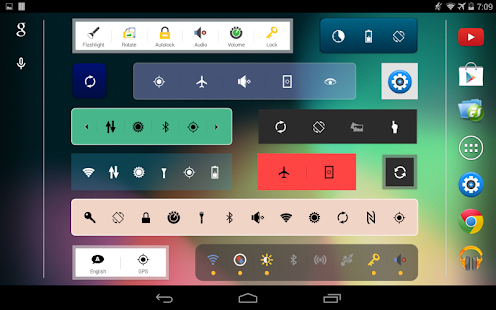
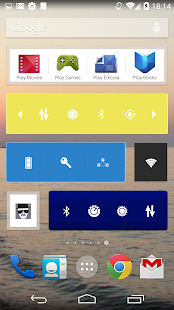
Extended Controls - screenshot thumbnail

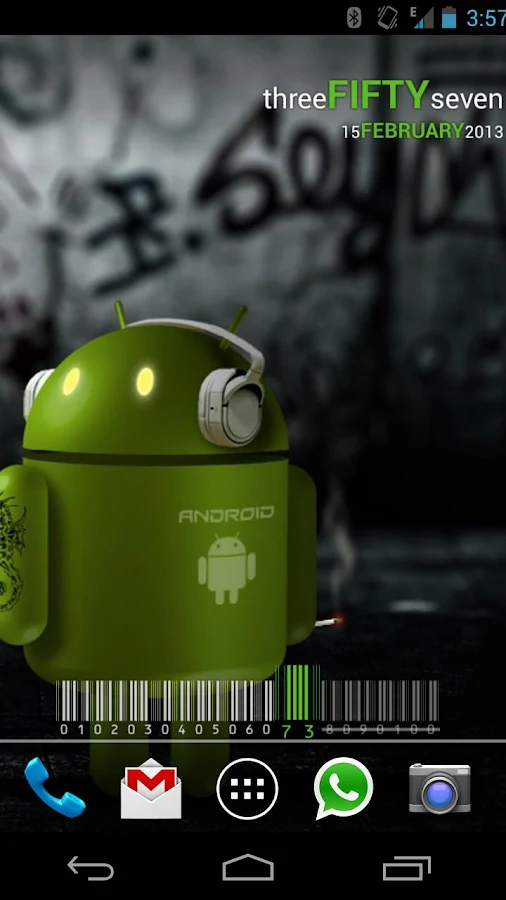
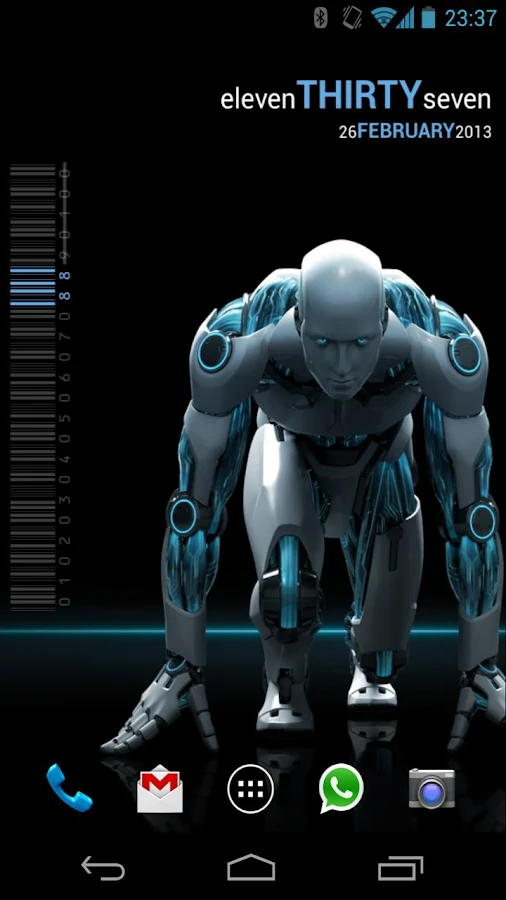
Extended Controls - screenshot thumbnail Extended Controls - screenshot thumbnail Extended Controls - screenshot thumbnail

What's New
  • Fixed battery and brightness percentage label.
  • Removed obsolete options in widget configurations.
  • Fixed blank icons for off status.
  • Fixed option "Download backgrounds" from main app.
  • Readded blur customization on icons.
  • Removed obsolete user custom background.
  • Fixed GPS toggle for some devices.
Requires Android
4.0 and up

Updated
December 27, 2013

Current Version
6.0.1

AppzTap (YouTube)

Google Play

AppzTap (Download)

Facebook Like 2

Please leave a comment for Broken Links.

Thursday, December 26, 2013

Extended Controls 6.0 APK

Extended Controls

Description
Extended controls is THE MUST HAVE APP for every Android user.
The application provides highly customizable widget with more than 30 controls.
Extended Controls provides user-friendly graphic interface and a easy configuration manager.
With its features user can customize his widgets and he can beautify your fantastic Android smartphone.
Extended Controls improves batterylife using an innovative feature called "Battery saver".
It's only app on Play Store that do this!

Features:
  • Custom backgrounds (from your gallery or download a set of backgrounds from the web)
  • Widgets transparency
  • A lot of different icons
  • Edit existing widgets
  • Direct Home shortcuts
  • Customizable colors & labels
  • On/Off dividers
  • All tablets supported
  • Different widgets size (over 10 toggle for any single widget)
  • Different indicator type (standard or circular)
  • System Info Widget (RAM, CPU, Network, ext-memory, etc.)
  • Notification Widget (like Samsung Galaxy S3 and S4)
Advanced features:
  • Widgets sliders with double arrow, to beautify your home screen
  • Widgets controller on App Drawer (Extended Controls -> Widget option)
  • Active widgets in notification bar
  • Stack Widgets list
  • Widgets in notification bar
  • Possibility to remove widgets size from android menu
  • Disable static indicator
  • Widget preview of your widget on configuration activity
  • Share your widgets with main social networks (Facebook, Twitter, Google+, etc.)
Profiles mode:
  • Save your widgets and load it whenever you want!!!!
As we know Android provides a widget that allows you to enable or disable these settings: WiFi,Bluetooth,GPS,Sync,Brightness.

With Extended Controls, Android Power Widget can be improved allowing users to add main settings:
  • 2G-3G
  • 4G (WiMAX only for EVO)
  • APN (Rename APN, Direct Mode or Settings Shortcut)
  • Wifi (with indicator label)
  • Bluetooth
  • Brightness (High customization, with custom seekbar, label percentage, native mode)
  • GPS
  • Auto Sync
  • Auto Rotate
  • Fly Mode
  • SD Scanner
  • NFC
  • Silent Mode
  • Vibration Mode
  • Timeout
  • Stay Awake toggle
  • Flashlight (Torch) available on (Sony Ericsson X10mini, Sony Ericsson X10, Motorola DroidX, Motorola Droid, Verizon, Mobile, Nexus S, Galaxy Ace, Fascinate, LG Optimus, Atrix, Arc, Samsung Galaxy S2, Motorola Photon, HTC One, Sony Xperia Z, Sony Xperia Z1 Galaxy Nexus, Nexus 4, Nexus 5, Motorola X, Nexus 7, Nexus 10,Galaxy Tab 3, Motorola G, Samsung Galaxy S4, Samsung Galaxy Note III and others)
  • Mount USB
  • AlwaysOn feature
  • AutoLock
  • Reboot (only for root users!! bootloader, normal or fastboot, confirm dialog)
  • Battery
  • Locale
  • Hotspot Wifi
  • USB Tether
  • LockPattern
  • AudioManager
  • Lock Screen (turn your screen off)
  • Direct Shortcut app (All activities or applications)
  • Haptic feedback
  • Volume manager (All volumes controls)
  • Shutdown (Only for root users)
  • Contact direct call
  • System info (RAM, CPU, memory usage, SDcard free memory)
WARNING
  • Read Contact & Call permissions is used to add a "Direct Contact Call" toggle within widget.
  • Without these permissions is impossible to call a contact with one-click.
  • The Read log permission is used into Issue Manager to allow user to send bugs of ONLY Extended Controls app.
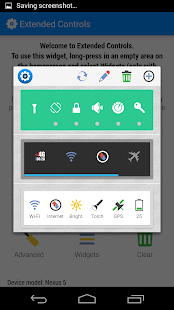
Extended Controls - screenshot thumbnail

Extended Controls - screenshot thumbnail Extended Controls - screenshot thumbnail Extended Controls - screenshot thumbnail

What's New
  • GUI entirely redesigned
  • New icons set and new background added
  • Added NFC toggle
  • Added 4G toggle
  • A new re-designed widget for EC Stats
  • Added external API for developers
  • The Volume toggle now supports to Android 4.4 KitKat
  • The app-permissions was limited
  • Changed 2g-3g toggle in Network Manager toggle
  • Fixed GPS, Data Network and Battery for some devices
  • Fixed Widget in Notification list
Requires Android
4.0 and up

Updated
December 19, 2013

Current Version
6.0

AppzTap (YouTube)

Google Play

AppzTap (Download)

Facebook Like 2

Please leave a comment for Broken Links.

Monday, December 16, 2013

Popup Widget PRO 1.3.6 APK


Popup Widget hide your fat widget and save the space. When you need it, pop it up. You can create a shortcut to a widget. The widget will appear with a cool animation when clicking the shortcut.

Sunday, December 15, 2013

Minimalistic Text PRO (version 3.0.11.4) APK

Cover art
Description

Minimalistic Text is a widget app that displays information in a minimalistic way.
It can be configured to display time, date, battery and weather information.
The layout of the widget is highly customizable through the layout editor.

Supported languages:
* English
* Danish
* German
* Greek
* Dutch
* Polish
* Norwegian
* French
* Croatian
* Serbian
* Czech
* Spanish
* Estonian
* Italian
* Portuguese
* Hungarian
* Russian
* Swedish
* Simplified Chinese
* Traditional Chinese
* Slovak
* Afrikaans
* Slovenian
* Hebrew
* Bulgarian
* Catalan
* Korean
* Turkish
* Finnish
* Ukrainian
* Arabic

Explanations for the permission requests:

** android.permission.VIBRATE **
used in the layout editor to give feedback that an item has been dragged

** android.permission.ACCESS_COARSE_LOCATION **
used by the weather service to get your coarse location and retrieve the weather for it

** android.permission.ACCESS_NETWORK_STATE **
needed to determine if the weather data can be fetched

** android.permission.INTERNET **
needed to actually retrieve the weather data and to get the name of the location you are

** android.permission.RECEIVE_BOOT_COMPLETED **
needed to be able to wait until the phone booted before initializing

** android.permission.WRITE_EXTERNAL_STORAGE **
to gain access to your SD card and save the preferences to it

** android.permission.GET_TASKS **
used to determine if the home screen is currently active. This is used by the automatic rendering option

** android.permission.CHANGE_COMPONENT_ENABLED_STATE **
To enable / disable widget sizes

** android.permission.ACCESS_WIFI_STATE **
To support WiFi variables

** android.permission.READ_CALENDAR **
To support calendar events

** com.android.vending.BILLING **
To support In-App donation

** de.devmil.minimaltext.permission.USE_DIRECT_CALL_ADDON **
allows Minimalisitc Text to use the Minimalistic Text direct call addon (if it is installed)

Now with Buzz Launcher support!
Minimalistic Text can be restored exactly the way it has been packed using the Buzz Launcher.

Tasker integration:
1) add a Locale variable to your layout and set the variable name (click it)
2) in Tasker select Plugins -> Minimalistic Text for an action
3) Click "Edit", a new activity starts
4) enter the name of the variable and the text that should be displayed for this variable (you can use Tasker variables)

Minimalistic Text - screenshot Minimalistic Text - screenshot Minimalistic Text - screenshot

What's New
- added Arabic translation
- Translation updates
- Unicode support (\uxxxx)
- fixed some KitKat issues


Requires Android
2.2 and up

Updated
December 10, 2013

Current Version
3.0.11.4

AppzTap (YouTube)

Google Play

AppzTap (Download)

Facebook Like 2

Please leave a comment for Broken Links.

Tuesday, December 10, 2013

Kaiten Mail (version 2.016) APK

Cover art

Description

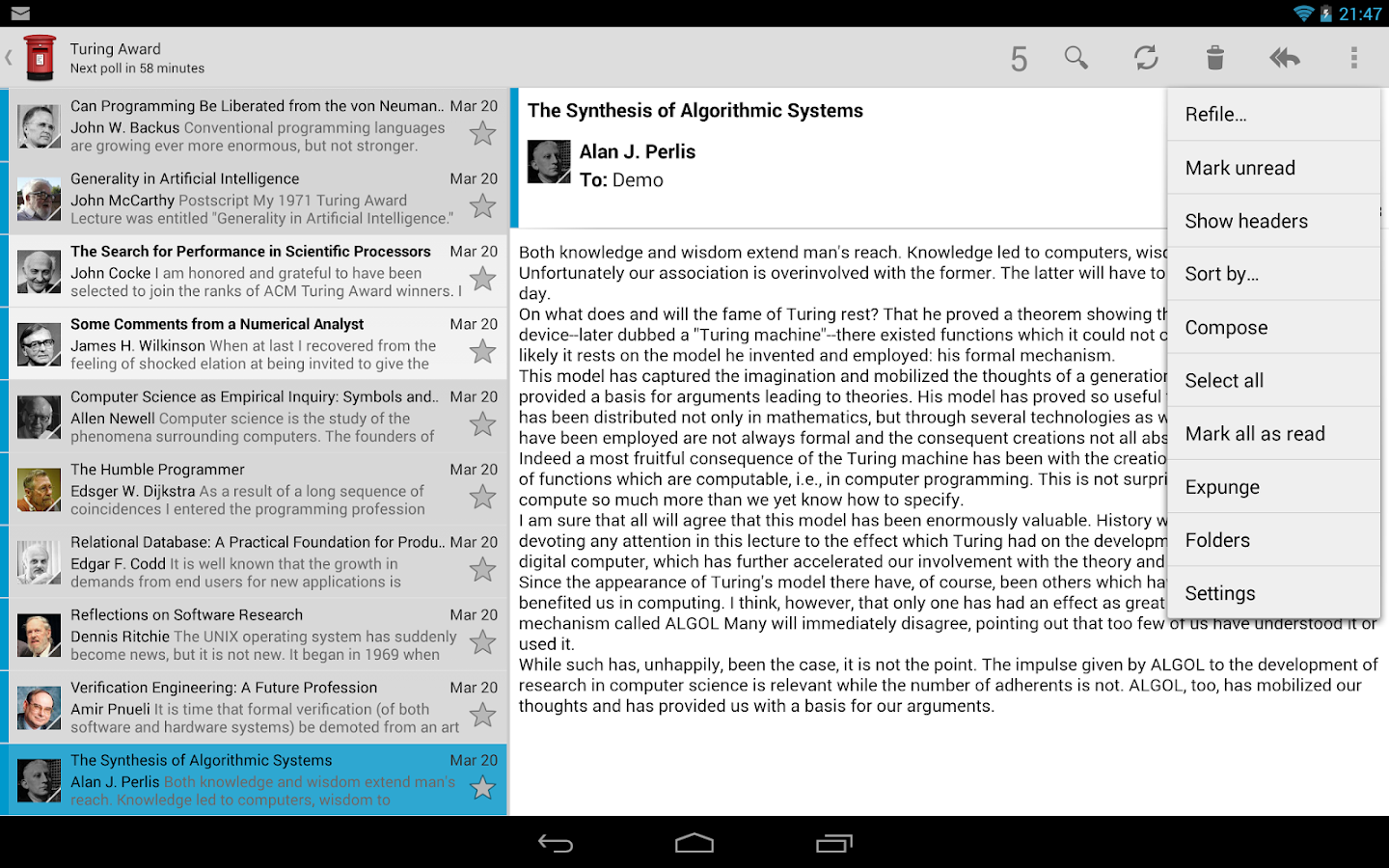
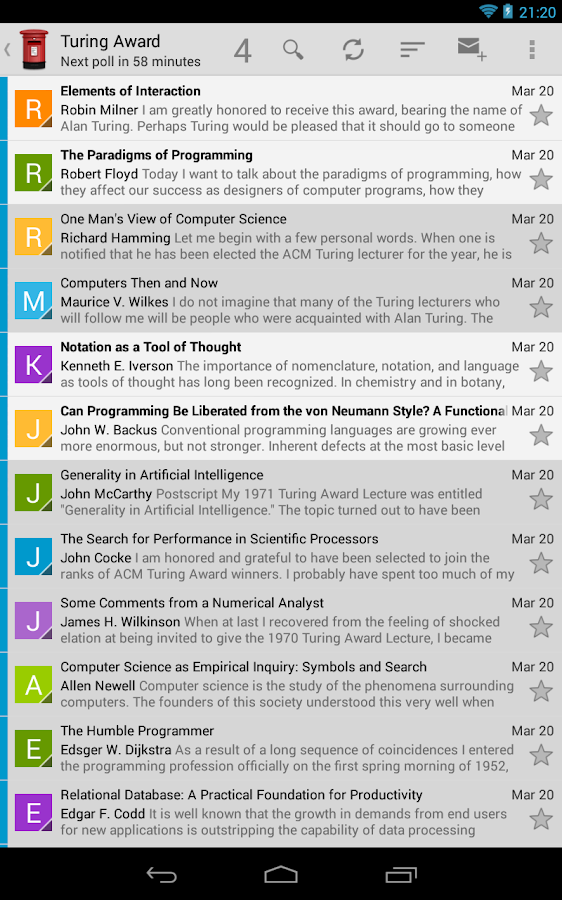
Kaiten Mail is a gorgeous and incredibly powerful email client for Android.

Note:
This app is not compatible with Asus Transformer devices (except the TF101).

★★★ Features ★★★
• Supports multiple IMAP, POP3, Exchange 2003/2007 (via WebDAV) accounts
• Push mail using IMAP IDLE
• Rich text editing
• Unified Inbox
• Display contact pictures
• Threaded message view
• Split-screen view
• Email signatures
• BCC to self
• Rich notifications (mark as read, reply, or delete directly from notifications)
• Encrypt and sign messages using the OpenPGP standard (when APG is installed)
• Settings import/export
• Keyboard shortcuts
• Lots of configuration options

Please note that Kaiten currently does NOT support Exchange ActiveSync.

★★★ Use Kaiten for free ★★★
If you want to try Kaiten out for free (or just use it forever for free) try out the ad-supported version here: http://play.google.com/store/apps/details?id=com.kaitenmail.adsupported

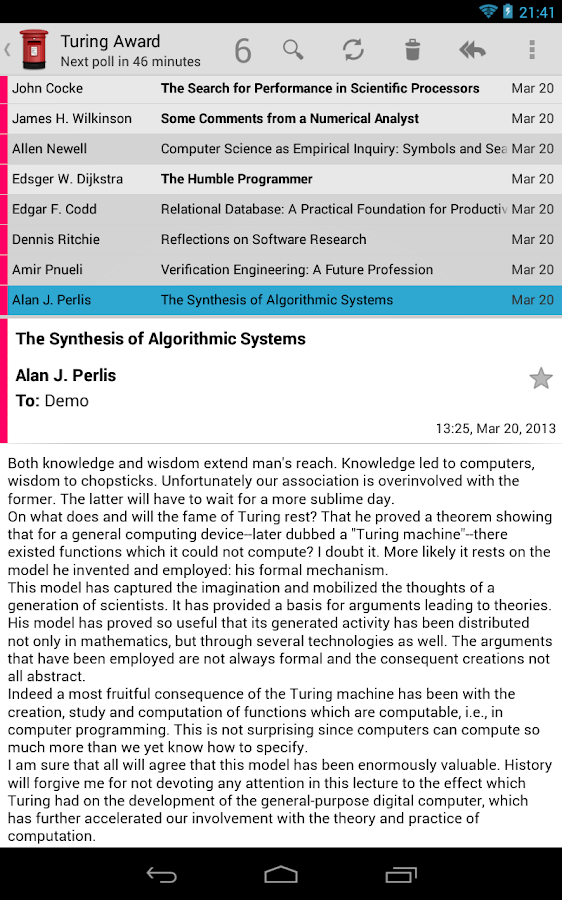
Kaiten Mail - screenshot

Kaiten Mail - screenshot  Kaiten Mail - screenshot

What's New

v2.016
• Improve SSL certificate validation. If you had to manually accept a certificate before you will have to do it again after this update.
• Re-add support for SSLv3
• Add support for Bitcoin URIs
• Fix problems with missing spaces in some texts


Requires Android
2.2 and up

Updated
December 9, 2013

Current Version
2.016

Google play 3

PLEASE READ THIS FIRST! → "HOW TO DOWNLOAD" TUTORIAL!
android_download

Facebook Like 2

Please leave a comment for Broken Links.

Sunday, December 8, 2013

TouchDown for SmartPhones PRO (version 8.3.00058) APK

Cover art

Description

Knowledge Base : https://nitrodesk.zendesk.com/forums

Much improved conversation view when you swipe right to left on an email.
If you are on an android 4.x device, you will see richer notifications.
Localization for 13 languages.

This version of TouchDown is specially for SmartPhone devices running Android 2.x.
This is a 30 day trial which you can activate by purchasing the license key separately.

For a fair comparison, compare the download counts along with the stars.
NitroDesk, Inc. has been building and improving TouchDown since October 2008.
We have improved the product through hundreds of internal versions, to bring you the best and most downloaded Email solution for Android.

Comprehensive :
Support for most number of data types (Email, Calendar, Contacts, Tasks) and Notes and SMS syncing for Exchange 2010 servers.

Customizable :
Dozens of options to make the app behave just the way you want.
Custom notifications, speech notifications, viewing tweaks, pinch-to-zoom, peak times and many more.

SD card support :
Move your data to the SD card if necessary

Widgets :
Email, Tasks, Calendar, Universal Widgets make it easy for you to see your status at a glance.
Support for third party widgets give you a wide range of choice

Most Secure:
TouchDown supports exchange activesync policies such as PIN, Remote Wipe, Data encryption and Storage card encryption of corporate data.
Hundreds of organizations trust TouchDown to ensure security, privacy and confidentiality of their data.
Discerning organizations mandate the use of TouchDown to ensure high usability along with security.

Corporate Data Separation:
TouchDown keeps your corporate data separate from your personal data.
Without TouchDown, your employer can actually flatten your phone to factory defaults.
With TouchDown, they can only remove corporate data belonging to them, leaving behind your personal information.

S/MIME:
TouchDown is the only android solution so far that supports sending and receiving S/MIME signed and encrypted emails.
S/MIME signing and encryption ensures that your emails are not tampered with, and can ensure that emails you send can be ensured to be visible only to the intended recipient.

Manageable :
TouchDown integrates with most popular Mobile Device Management solutions in the market today, increasing the chances that your phone can play well with your IT organization's security policies.

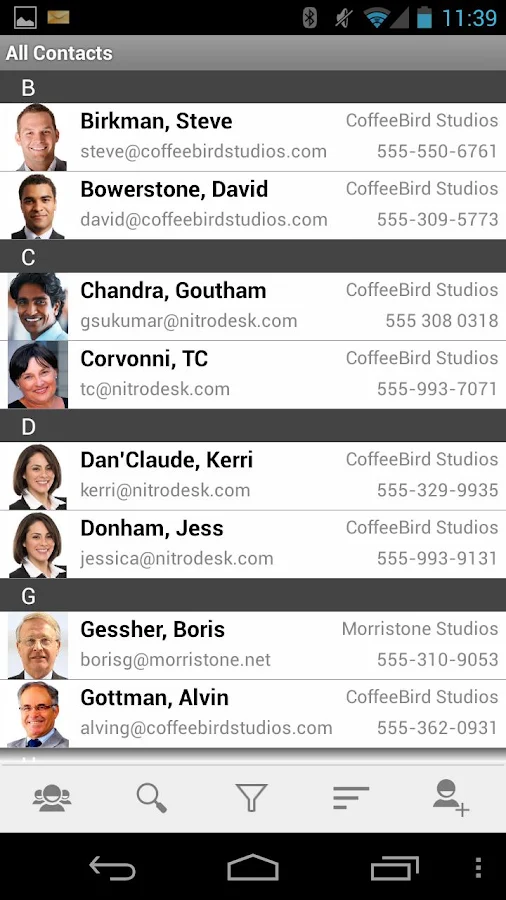
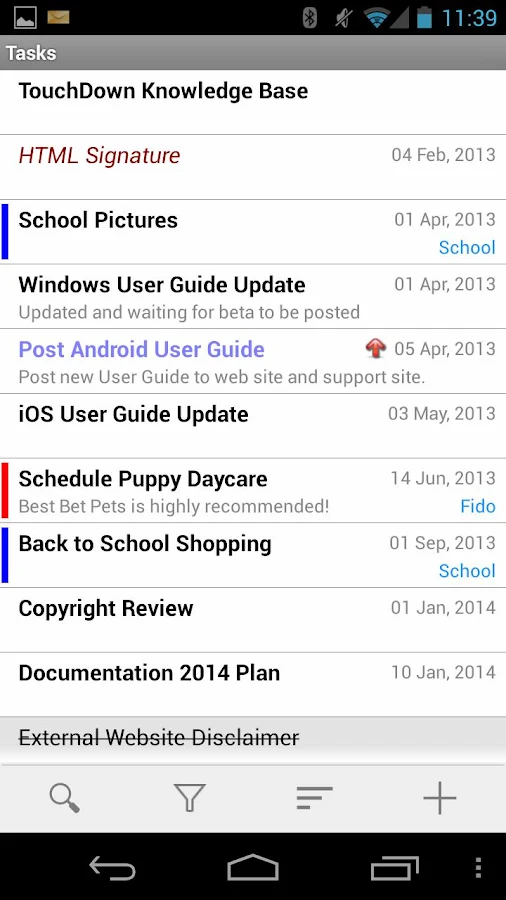
TouchDown for Smartphones - screenshot TouchDown for Smartphones - screenshot TouchDown for Smartphones - screenshot

What's New

UPDATES:
PERFORMANCE FIX for email list
Fix for unreliable mark/read and other updates to server
Slide from left on list views to change folders
Support attachments from Skydrive
Signing/Encryption fix
- New Look on most screens
- Custom Panning screens on the main touchdown screen (customizable on last screen)
- Card layouts for list views
- New popout folder views on all screens
- fixes several bugs
- Supports Sony SmartWatch 2


Requires Android
2.0 and up

Updated
December 3, 2013

Current Version
8.3.00058

Google play 3

PLEASE READ THIS FIRST! → "HOW TO DOWNLOAD" TUTORIAL!
android_download

Facebook Like 2

Please leave a comment for Broken Links.