Pages

Sunday, December 15, 2013

Floating Toucher PRO (version 2.5) APK

Cover art
Description

70% OFF for holiday!

Floating Toucher is specially designed for Android, which is a button floating on your screen over other apps, and you can move it anywhere.
Floating Toucher contains most commonly used switches of Android system and all installed apps, you could control your device or open your favor app easily without exiting current app.
Pie style of it control panel is elegant and easy to use.
Support 3 screens to show more icons.

Besides that, you can make it unique by:
1. Customizing the panel functions, pick your most commonly used switches or favor apps.
2. Creating folder for apps or switches.
3. Changing the floating button style, or DIY your own button.
4. Changing the panel's color, or customize your own color.
5. Set the black list to auto hide the point.
6. Customize the click action of point.

Features list:
1. Clear memory
2. Back/Home button (Need ROOT)
3. Favor apps
4. Recent apps
5. Battery display
6. Lock screen
7. System switches
-Screen brightness
-Ring mode
-Bluetooth
-Wi-Fi
-GPS
-APN (Mobile network)
-Rotation
-Flashlight
-Airplane mode
-WIFI hotspot

FAQ:
Why I cannot uninstall Floating Toucher?
The "Lock screen" feature requires activating device administrator, so you have to deactivate it in security settings before installing.

There are two ways to uninstall it:
1. Open floating touch, go to settings page, find the "Uninstall" option. (Recommend)
2. First, go to "System settings" -> "Security settings" -> "Device administrators" deactivate "Floating Toucher", then uninstall Floating Toucher in a normal way.
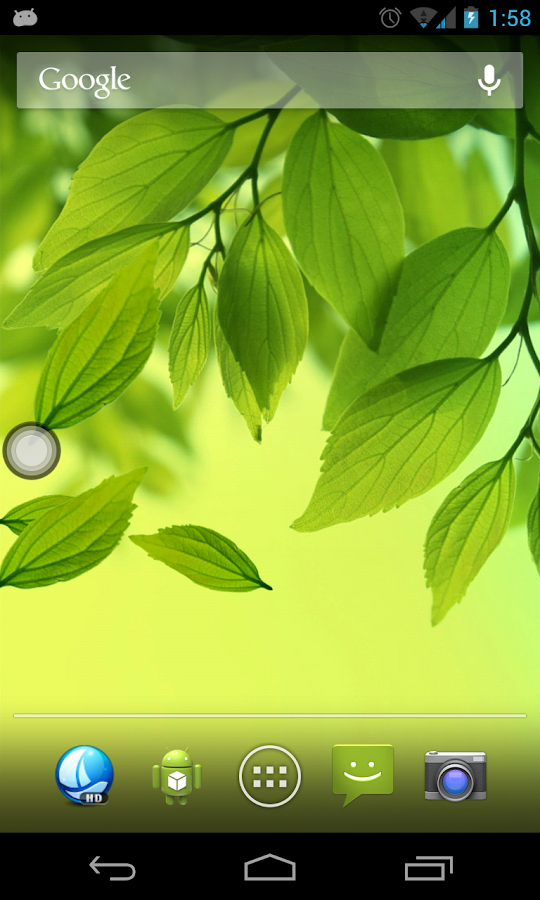
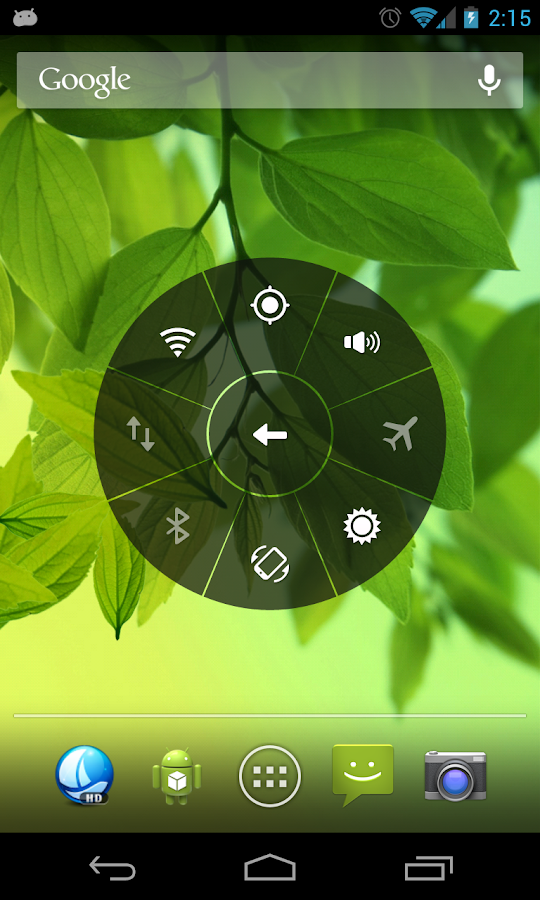
Floating Toucher - screenshot Floating Toucher - screenshot Floating Toucher - screenshot

What's New
1. More preset point styles.
2. Bug fixes and performance enhancement.
3. 70% OFF of premium unlock for holiday.


Requires Android
2.3 and up

Updated
December 13, 2013

Current Version
2.5

AppzTap (YouTube)

Google Play

AppzTap (Download)

Facebook Like 2

Please leave a comment for Broken Links.

Smart Compass PRO (version 2.5.4) APK

Cover art
Description

Smart Compass Pro is the 3rd set of Smart Tools collection (azimuth, metal detector, GPS).

* Especially on SGS4, a view-cover with magnets can make the compass inaccurate. Remove it right now !!

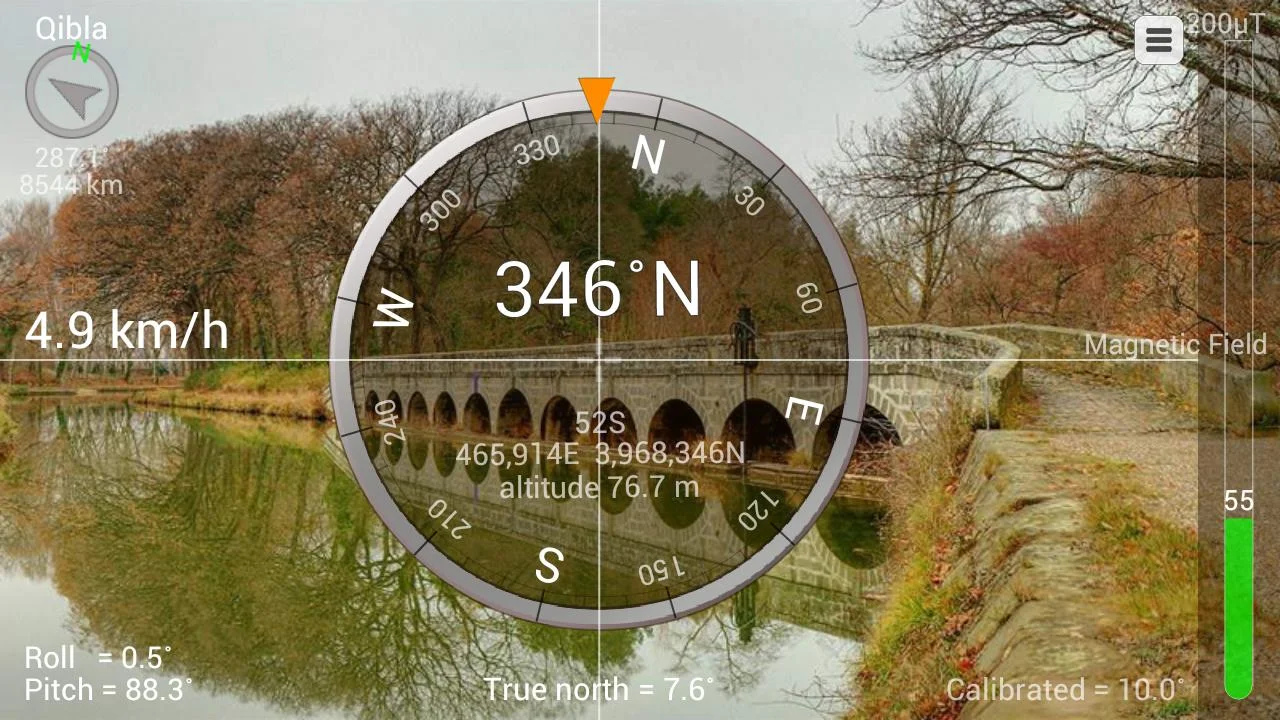
This compass is a tool to search bearings using the built-in magnetic sensors.

It has 4 significant features.
1. Although you may turn the phone into portrait or landscape mode, the heading is fixed.
2. The Camera's view is used for reality.
3. Metal Detector is included to verify the magnetic sensor.
4. GPS is supported.

The compass app depends on the performance of your device exactly.
If the compass works perfectly, it means that your sensors are perfect, too.
If it is inaccurate, please check that you aren't being affected by a magnetic field.
Also, there are several options to calibrate your device.

* Pro version added Features:
- True north
- Sending GPS info via SMS and Email
- Full metal detector
- Various Coordinate Types (UTM)
- Military Coordinate (MGRS, mil)
- Qibla finder, Car locator
- GPS Speedometer
- No ads, No connection

Smart Compass Pro - screenshot

What's New
- v2.5.4 : Minor fix on screen capture.
- v2.5.3 : Digital mode support.
- v2.5.2a : Nexus 7 2nd-gen support.
- v2.5.2 : Night mode support.
- v2.5.1 : Screen capture. Share with.
- v2.5.0 : ActionBar added. Portrait mode support.
- v2.4.3 : GPS Speedometer option added, Nexus 10 support.
- v2.4.2 : Azimuth types added.(Quadrants)
- v2.4.1 : Nexus 7 support.
- v2.4.0 : Qibla compass.
* SMS permission (sending GPS information via SMS)


Requires Android
2.2 and up

Updated
December 8, 2013

Current Version
2.5.4

AppzTap (YouTube)

Google Play

AppzTap (Download)

Facebook Like 2

Please leave a comment for Broken Links.
Minimalistic Text PRO (version 3.0.11.4) APK

Cover art
Description

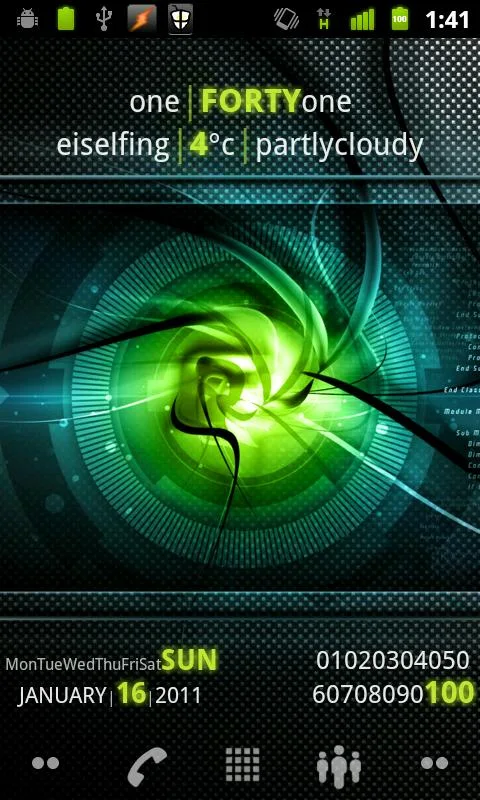
Minimalistic Text is a widget app that displays information in a minimalistic way.
It can be configured to display time, date, battery and weather information.
The layout of the widget is highly customizable through the layout editor.

Supported languages:
* English
* Danish
* German
* Greek
* Dutch
* Polish
* Norwegian
* French
* Croatian
* Serbian
* Czech
* Spanish
* Estonian
* Italian
* Portuguese
* Hungarian
* Russian
* Swedish
* Simplified Chinese
* Traditional Chinese
* Slovak
* Afrikaans
* Slovenian
* Hebrew
* Bulgarian
* Catalan
* Korean
* Turkish
* Finnish
* Ukrainian
* Arabic

Explanations for the permission requests:

** android.permission.VIBRATE **
used in the layout editor to give feedback that an item has been dragged

** android.permission.ACCESS_COARSE_LOCATION **
used by the weather service to get your coarse location and retrieve the weather for it

** android.permission.ACCESS_NETWORK_STATE **
needed to determine if the weather data can be fetched

** android.permission.INTERNET **
needed to actually retrieve the weather data and to get the name of the location you are

** android.permission.RECEIVE_BOOT_COMPLETED **
needed to be able to wait until the phone booted before initializing

** android.permission.WRITE_EXTERNAL_STORAGE **
to gain access to your SD card and save the preferences to it

** android.permission.GET_TASKS **
used to determine if the home screen is currently active. This is used by the automatic rendering option

** android.permission.CHANGE_COMPONENT_ENABLED_STATE **
To enable / disable widget sizes

** android.permission.ACCESS_WIFI_STATE **
To support WiFi variables

** android.permission.READ_CALENDAR **
To support calendar events

** com.android.vending.BILLING **
To support In-App donation

** de.devmil.minimaltext.permission.USE_DIRECT_CALL_ADDON **
allows Minimalisitc Text to use the Minimalistic Text direct call addon (if it is installed)

Now with Buzz Launcher support!
Minimalistic Text can be restored exactly the way it has been packed using the Buzz Launcher.

Tasker integration:
1) add a Locale variable to your layout and set the variable name (click it)
2) in Tasker select Plugins -> Minimalistic Text for an action
3) Click "Edit", a new activity starts
4) enter the name of the variable and the text that should be displayed for this variable (you can use Tasker variables)

Minimalistic Text - screenshot Minimalistic Text - screenshot Minimalistic Text - screenshot

What's New
- added Arabic translation
- Translation updates
- Unicode support (\uxxxx)
- fixed some KitKat issues


Requires Android
2.2 and up

Updated
December 10, 2013

Current Version
3.0.11.4

AppzTap (YouTube)

Google Play

AppzTap (Download)

Facebook Like 2

Please leave a comment for Broken Links.
Zoner Mobile Security 1.1.4 Apk


Zoner Mobile Security is a modern security and the best anti-virus solution for your device. It provides protection against viruses, dialers, trojans, worms, spyware, adware and other malware as well as phone call and message protection.

Profile Scheduler+ (version 3.0.6) APK

Cover art

Description

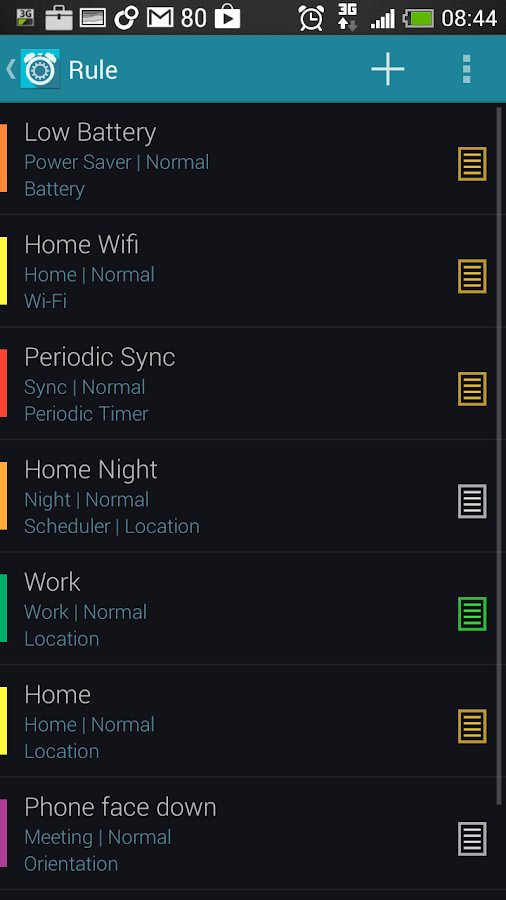
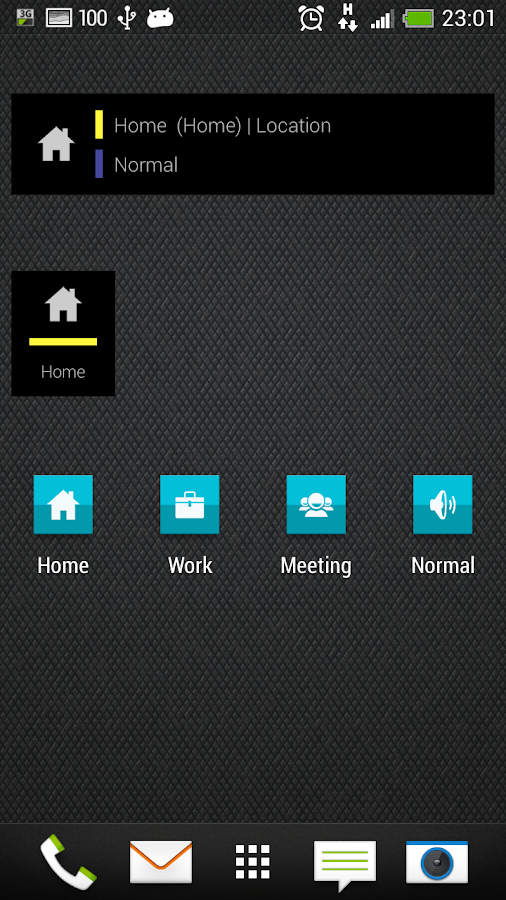
Imagine as you reach office, the phone volumes automatically decrease.
Putting your phone face down in the meeting room, it goes into silent mode.
Once you are at home, it turns on WiFi and connect to your home WiFi.
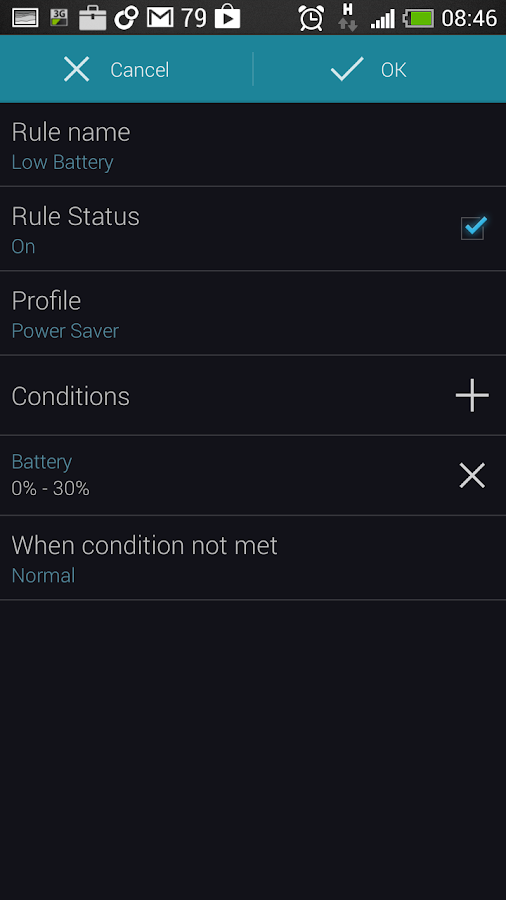
It turns off all connections when battery is low.
These are just a few scenarios. You can create your own rules.

*****************************************************************
Dear users, Airplane mode and GPS toggle are not working on Jelly Bean (4.3) onwards.
These issues have been there even in v2.1.5.
This is still being worked on.

Next release (3.0.3):
- Airplane mode on 4.3 onwards will be supported on rooted phones installed with 4.x Airplane mode helper. http://android.dm.id.lv/Jelly_Bean_4.x_Airplane_Mode_Helper
- Fixed for status bar/widget icons. Users will still need to edit and reselect the profile icon to fix this.

****************************************************************

Profile Scheduler lets you change volume, wireless and other phone settings quickly and easily.
Simply set and forget!

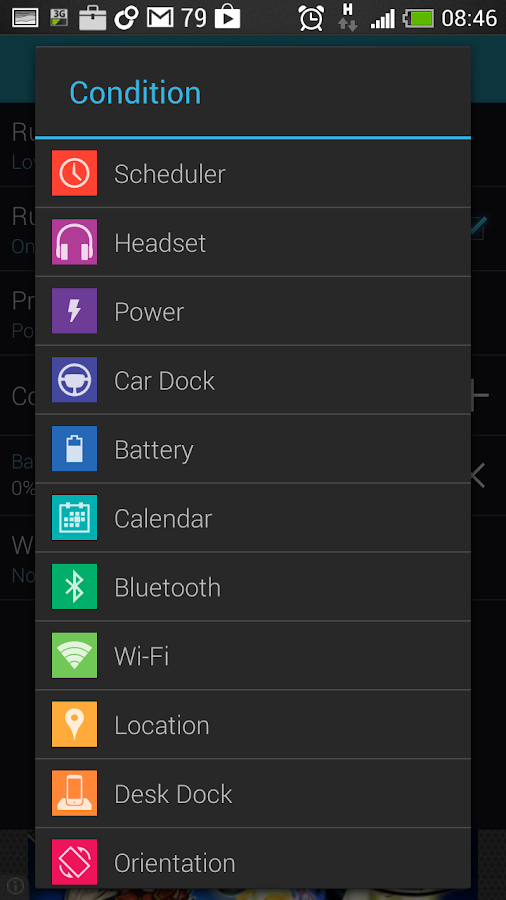
Activate profile by just a click or by rules :
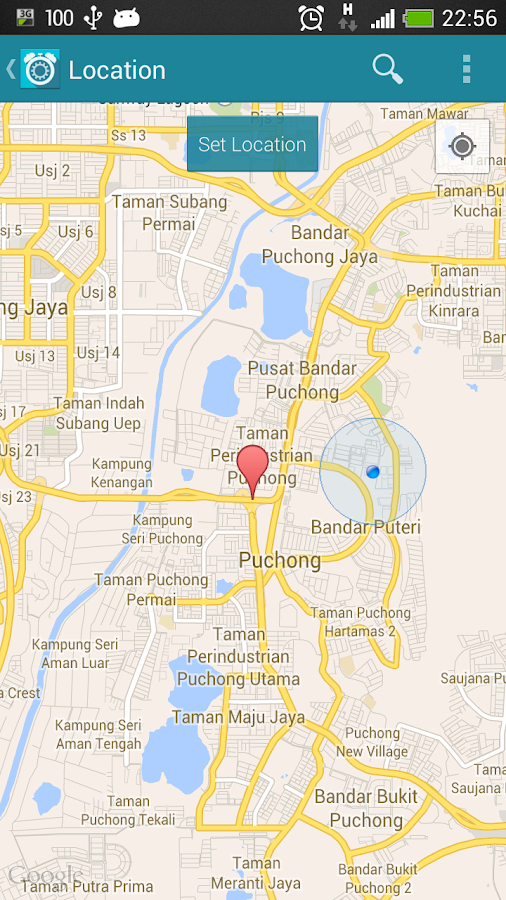
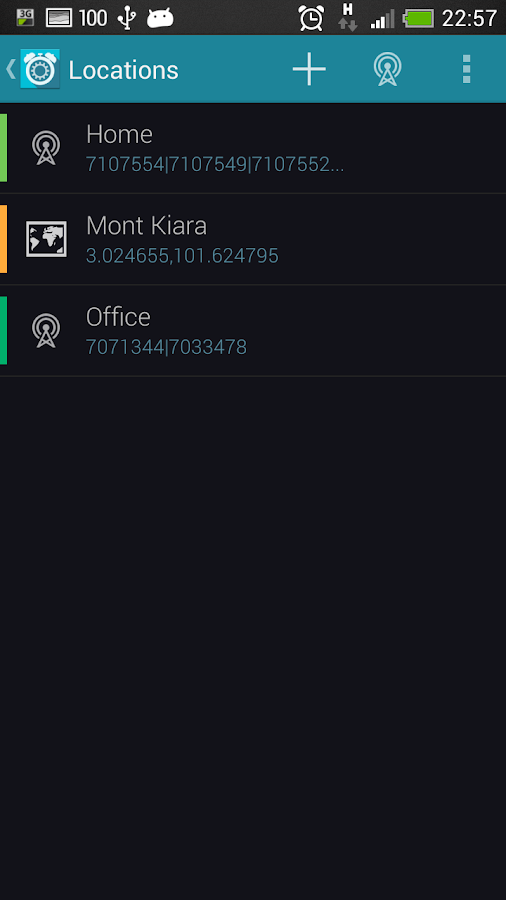
Scheduler, Location(GPS or Network [cells, Wifi, cell-id]), Calendar, Headset, Car Dock, Power, Battery Level, Wifi,

Bluetooth, Orientation, Periodic Timer, or a countdown timer!
You can even set the priority for the rules.

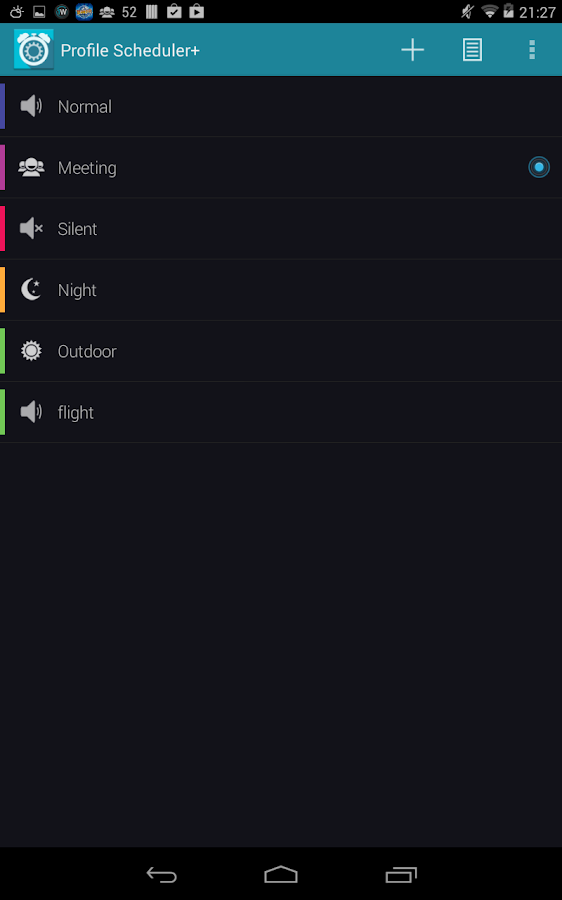
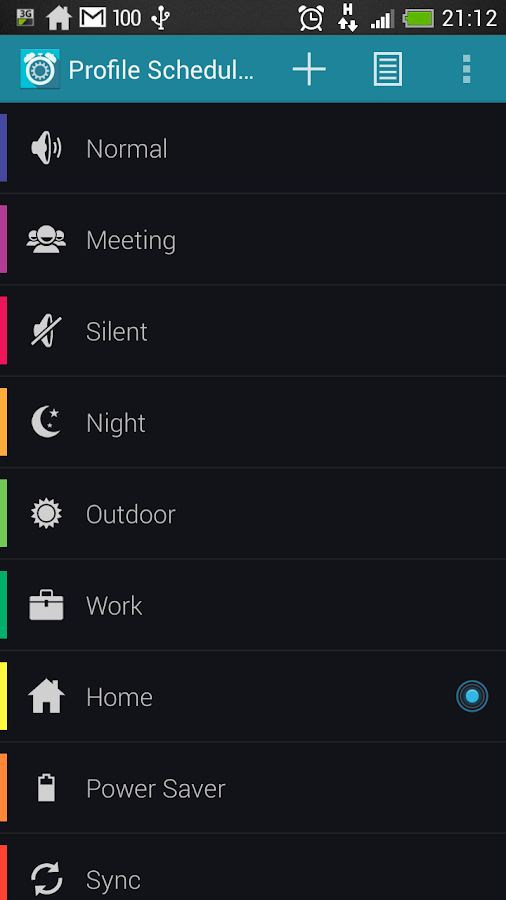
It comes with 5 default profiles:
Normal, Meeting, Silent, Night and Outdoor.

If you don’t like them, simply change them or create your own.

You may consider the following profiles:
Car – GPS on, Bluetooth on, Wi-Fi off, screen never timeout.

Power Saver – Mobile data, WiFi, GPS and Bluetooth off, low brightness, short screen timeout, auto-sync off

The following profile settings are supported:
- Volume for ringtone, notification, alarm, media, voice and system
- Vibrate for incoming call and notification
- Phone Ringtone
- Notification Ringtone
- Airplane mode (Issue on 4.3 and 4.4)
- Mobile Data
- Wi-Fi
- Bluetooth
- GPS (May not work on some phones due to Google blocking it)
- Speaker Mode
- Haptic Feedback
- Audible touch tone
- Brightness - Automatic, Default or Custom
- Screen timeout - 30 seconds, 1 minute, 2 minutes, 5 minutes, 10 minutes, 30 minutes, Never
- Auto-sync
- Wallpaper from Gallery or File Manager.
- Launch app
- Close app
Other features
- 2 widgets
- Support 'Volume Locker'
- Backup & Restore user data
- Option for to disable rule/whitelist
- Rule prioritization
- 12/24 hours display
- Countdown timer
- Lock active profile
- Rule prioritization
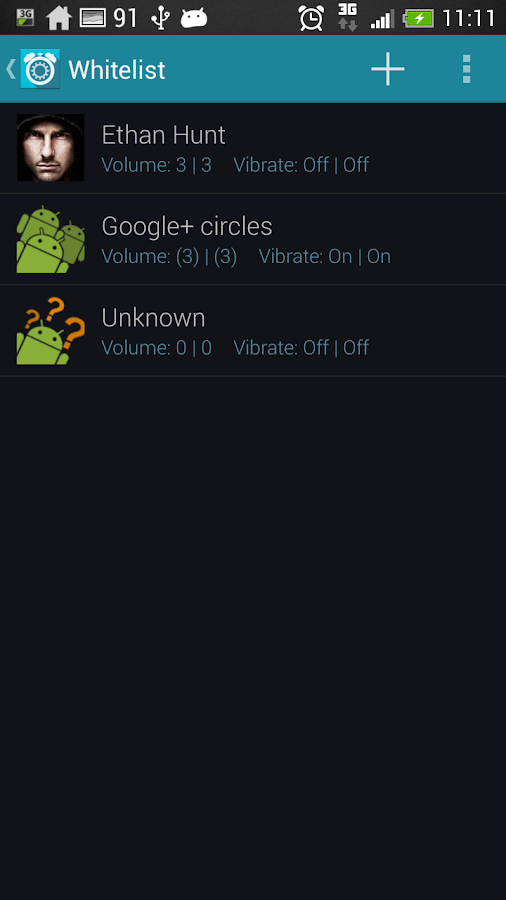
- Whitelist contacts: customise ringer/sms volume for certain contacts regardless of profile. Can be used as blacklist. (Known issue: unable to suppress vibration)
- Save location (paid version)
- Activate profile through widget (paid version)
- Profile shortcut (paid version)

Full features and without ads:
- unlimited rules
- save location
- up to 50 whitelist contacts
- widget to activate and lock profile, activate countdown timer
- profile shortcut

Profile Scheduler+ - screenshot Profile Scheduler+ - screenshot Profile Scheduler+ - screenshot

Profile Scheduler+ - screenshot Profile Scheduler+ - screenshot Profile Scheduler+ - screenshot

Profile Scheduler+ - screenshot Profile Scheduler+ - screenshot Profile Scheduler+ - screenshot

What's New
- Brightness issue for some phones

Requires Android
2.2 and up

Updated
December 13, 2013

Current Version
3.0.6

Google Play

AppzTap (Download)

Facebook Like 2

Please leave a comment for Broken Links.

Smart Launcher PRO 1.12.11 APK


Smart Launcher PRO is an innovative launcher, minimalist design, low resource and user-friendly interface which allows you to launch any application in a few keys. It's currently the only launcher of Play Store which has a function of automatic sorting and cataloging of installed applications.

SportsTracker PRO (version 3.7) APK

Cover art
Description

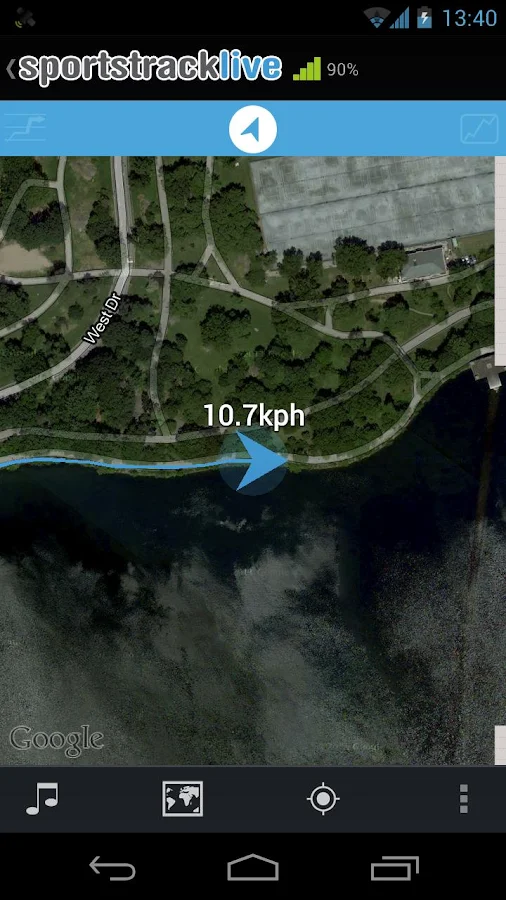
Live sports tracking from your android phone http://sportstracklive.com

Beat your personal bests!

Superior GPS sports tracking app. Running, cycling, mountain biking, skiing, snowboarding, sailing, biking, flying, gliding.
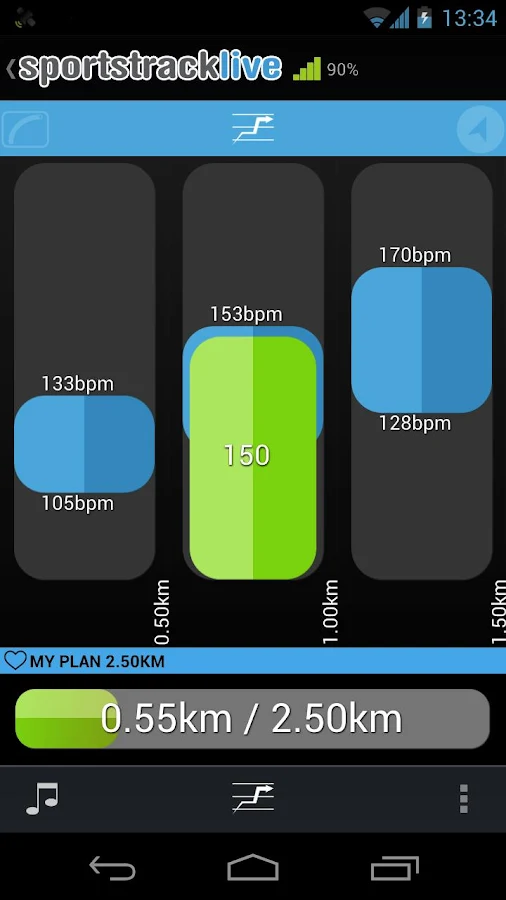
The best featured app to record your GPS track and monitor your performance and cardio fitness.

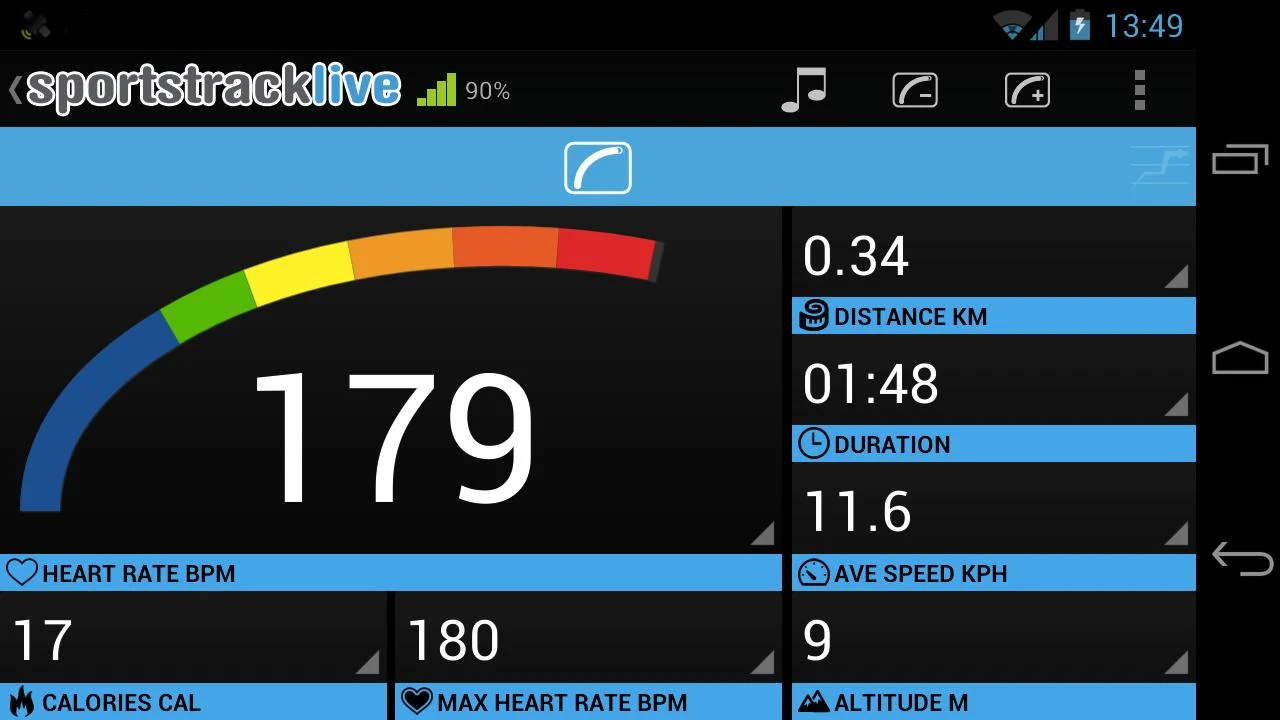
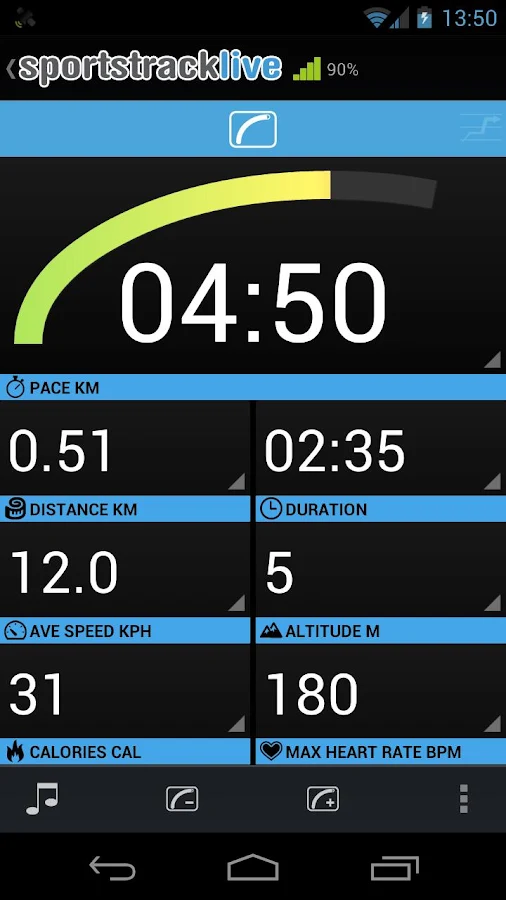
★ Live tracking
★ Speed, distance, time, pace, altitude gain/loss
★ Training plans
★ Heart rate*
★ Breathing rate***
★ Skin temperature***
★ Cadence**
★ Voice trainer feedback
★ Personal Bests
★ Performance
★ Auto facebook/twitter
★ Groups
★ Friends
★ Replay my tracks on Google maps
★ Realtime zoomable charts
★ Weather
★ Calories
★ Race yourself
★ Export in GPX, CSV, KML from the website

* Polar wearlink or Zephyr BLUETOOTH or ANT+ HRM required

** Zephyr Hxm or ANT+ footpod or bike sensor required

*** Zephyr BioHarness required

Compatible with Zephyr Hxm, Zephyr Bioharness and Polar Wearlink® + transmitter with Bluetooth®

See http://sportstracklive.com/help/heart-rate for more info.

Also compatible with Bluetooth SMART (Bluetooth low-energy) sensors (currently enabled on Samsung only).

See http://sportstracklive.com/help/bluetooth-smart

This app is ANT+ certified and supports ANT+ enabled heart rate sensors, footpods and bicycle speed & cadence sensors.

Visit http://www.thisisant.com/directory for compatible devices.

SportsTracker PRO - screenshot

SportsTracker PRO - screenshot SportsTracker PRO - screenshot SportsTracker PRO - screenshot

What's New
-Bluetooth SMART support enabled only for Samsung Android 4.3+ devices only (because of instability in other devices).
See blog for more info http://blog.sportstracklive.com


Requires Android
Varies with device

Updated
December 12, 2013

Current Version
3.7 / Varies with device

AppzTap (YouTube)

Google Play

AppzTap (Download)

Facebook Like 2

Please leave a comment for Broken Links.